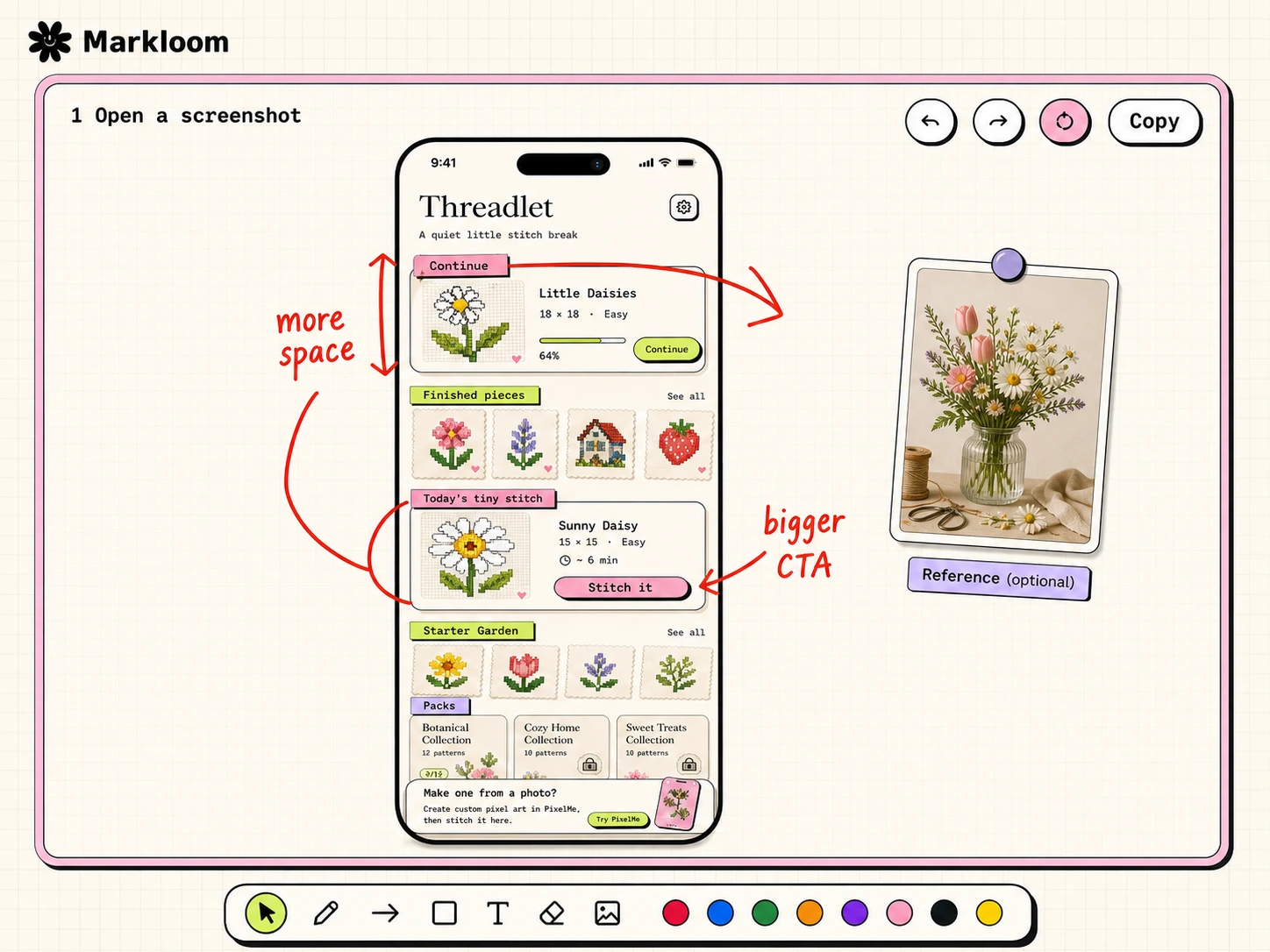
Open a screenshot. Mark the fixes. Copy the board.
Markloom is a static review board for agents. The default flow is one app screenshot in the center. Add a reference image only when it actually helps.
What the board is for.
Open a screenshot, draw exactly what needs to change, then copy the whole marked-up board. A reference image can sit beside it, but the screenshot stays the main subject.
Use one image first.
For most review tasks, pass a single screenshot. Markloom centers it and keeps the canvas clean for annotations.
{
"title": "App Screen Review",
"storageKey": "app-screen-review-20260605",
"pairs": [
{
"id": "home",
"image": "https://example.com/home-screen.png"
}
]
}
Reference images are optional.
When a user provides a target style, golden, or second screenshot, add `reference`. Otherwise keep the board single-image.
{
"id": "home",
"title": "Home Screen",
"image": "https://example.com/current.png",
"reference": "https://example.com/reference.png",
"imageLabel": "Screenshot",
"referenceLabel": "Reference"
}
Agent rules.
Keep payloads boring. Put only the images and optional labels in the hash, then draw visual feedback on the board.
- Prefer `image` for the primary screenshot.
- Use `reference` only for an optional second image.
- Do not inject red or blue notes through JSON.
- Refresh the skill when Markloom changes.